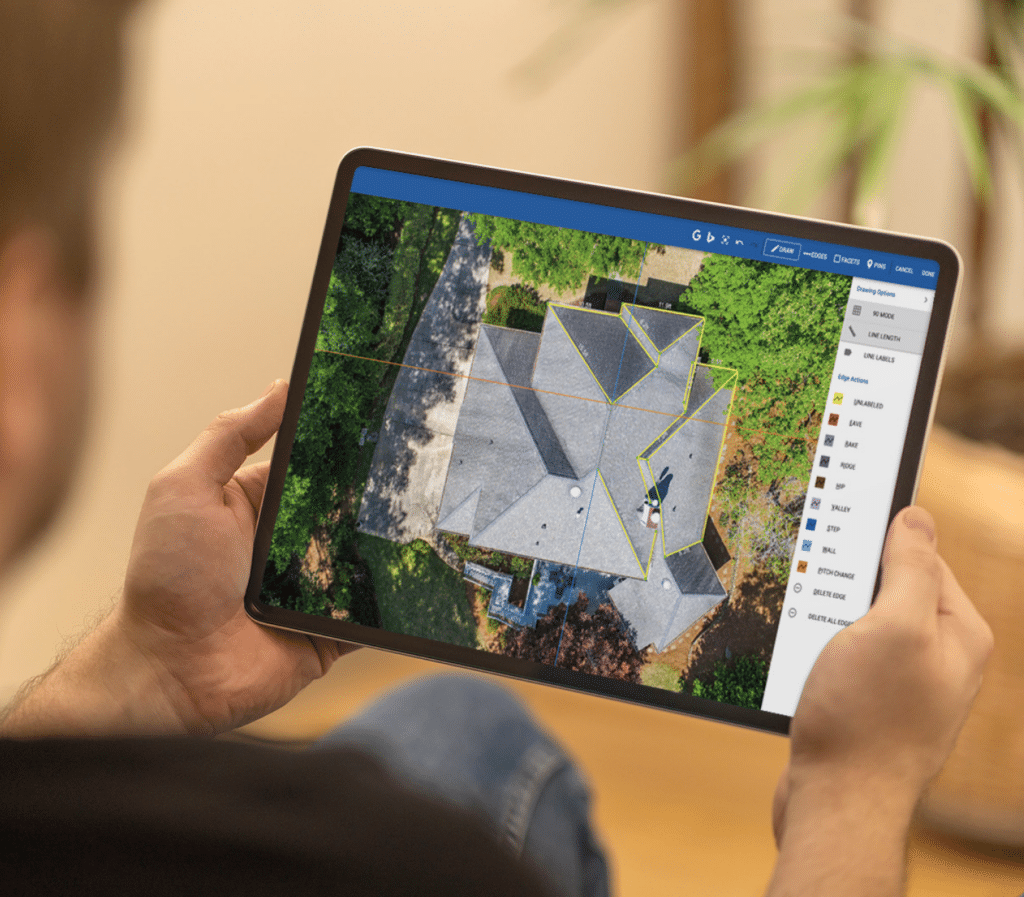
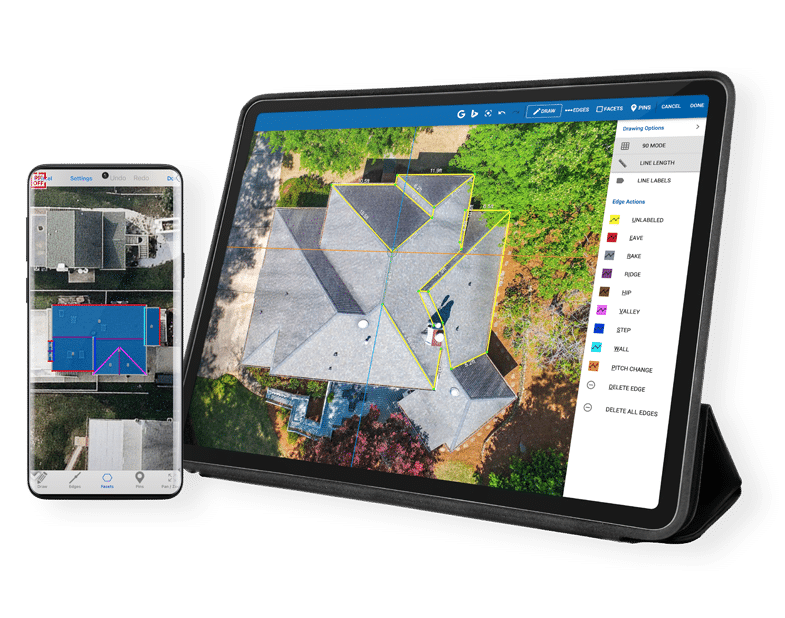
As the roofing industry becomes more modern and digital-first, companies are adopting software to support the process. The most common capabilities from these platforms involve measuring, quoting, and getting paid. There are lots of options to select from, including iRoofing alternatives.
While iRoofing has many features as a roofing estimating app, it also has gaps. That’s why it’s essential to review iRoofing competitors to determine if they are a better fit for your organization.
In this post, you’ll learn about alternatives to iRoofing, comparison criteria, and what limitations you can solve for with modern mobile roofing software.
Why Look for an iRoofing Alternative?
Roofing companies should look for an iRoofing alternative because it’s missing features related to business operations involving invoicing and payments.
Software review site Capterra offers few reviews on the platform. The site does highlight what’s missing—billing and invoicing.
While iRoofing has a CRM (customer relationship management) solution and scheduling, it falls very short in helping you manage the entire life cycle of a job.
As a result, those using iRoofing would need a separate solution for invoicing and payments. If not integrated, this causes a lot of manual work to understand all the analytics around jobs. It may also be slowing payments, which impacts your cash flow.
An iRoofing alternative with payments can resolve these issues, streamlining workflows and ensuring you have complete visibility across operations.
How We Compared These Tools
So what’s the best way to compare mobile roofing software? The Roofing Software Guide (RSG) offers a template for this with these criteria:
- Ease of use: If the software is too complex, adoption will slow, and you lose value.
- Features and core functions: This analysis looks at all the functionality available and if the claims match the actual capabilities.
- Pricing value: This review isn’t about cheapest to most expensive. Rather, it looks at the value you receive for what you pay.
- Support quality: This measures how well the company responds to customers and resolves issues.
- Roofing-specific capabilities: In this category, there’s a comparison of the very unique requirements for the roofing industry.
We took this same approach in creating a comparison matrix. Let’s review the top five iRoofing alternatives.
Best iRoofing Alternatives
In reviewing the best roofing software that closes iRoofing gaps, you’ll want to review these assessments as a starting point for your research.
Keep in mind that payments are not part of iRoofing’s solution, so the alternative apps with this functionality already have an advantage.
RoofSnap
RoofSnap is the best mobile-first peer app that combines payments, financing, and measurement ordering.
Here’s how it stacks based on the criteria defined above:
- Ease of use: The Roofing Software Guide scores the software at 8 out of 10. Reviews from the site consistently note how easy the app is to use. The learning curve is minimal, so users don’t need to be technical wizards. An example of this is how simple it is for users to go from address to proposal.
- Features and core functions: The score for this category is 8.5. RoofSnap is more than a roof measurement app. It has functionality for estimating, payments, financing, and reporting. It comes up a bit short, however, to be an iRoofing visualizer alternative.
- Pricing value: RoofSnap scores a 7.5, and the RSG verdict states it’s one of the best values in small business roofing software. RoofSnap uses a subscription model versus pay-as-you-go.
- Support quality: RSG scores RoofSnap at 7.5 for this area. The company offers a Help Center and how-to videos. Users can also schedule training.
- Roofing-specific capabilities: In this final segment, RoofSnap earns an 8.5. It has workflows that support roofing contractors and insurance adjusters. The measurement features aren’t just for roofs. There’s one for gutters too.
Overall Pros and Cons for RoofSnap
Pros
- Cost-effective
- Fast turnaround on reports
- Instant estimates for good/better/best
- Integrated payments and financing
- Free trial with no credit card
- Specialized reports for gutters
- Mobile-friendly field use
Cons
- Lacks a true CRM
- Questionable accuracy for new construction or rural properties
- No AR visualization
Bottom line: RoofSnap works well for small residential crews and insurance adjusters. For a detailed comparison, check out our RoofSnap vs iRoofing page.
Roofr
Roofr is a standout in the measurement-to-proposals workflow. It’s one software with a library of tools to manage and grow roofing businesses.
Here’s how it measures up, according to RSG:
- Ease of use: RSG scores it a 9.5. While the software doesn’t require technology acumen, it has a significant drawback—no native mobile app.
- Features and core functions: RSG awarded Roofr an 8 in this category. It offers reporting, a CRM, proposals, payments, and a website builder. But some gaps remain, including limited integration with QuickBooks, labor tracking, and lack of satellite coverage, which forces users to use DIY roof measurement software.
- Pricing value: Pricing gets a 9. There is a free option, but it doesn’t have all the features. One warning is that per-report costs add up quickly for high-volume companies.
- Support quality: Roofr excels here with a 9. It routinely performs well in this category across review sites.
- Roofing-specific capabilities: Roofr receives a 9.5 in this category. One standout is SRS real-time pricing that provides live material costs and one-click ordering.
Overall Pros and Cons for Roofr
Pros
- Free starter plan
- Affordable report pricing
- Professional proposal builder
- Premium customer support
- SRS real-time pricing
- All-in-one mobile roofing software
Cons
- Costly per-cost reports at high volume
- Satellite coverage gaps
- Limited QuickBooks integration
- No native mobile app
- Premium features only available at higher pricing tiers
- Manual expense entry
Bottom line: Roofr is ideal for small to mid-size residential roofing companies. It’s also the best choice for sales-focused operations because of the speed from measurement to proposal.
Eagleview
Eagleview offers roofing software that fills iRoofing gaps around premium accuracy and insurance claims. Their product suite is broad, but they have a special solution for roofing.
RSG scored the product this way:
- Ease of use: Eagleview earns a 7.5 in this area. It’s a bit more complicated than others, requiring more training.
- Features and core functions: RSG scores this at 9.5. Eagleview is unique in that it’s a geospatial software platform. Its core competency is measurements taken aerially and improved by AI. It also integrates with many other tools.
- Pricing value: Eagleview is expensive, so it earned a 6.5 here. The per-report pricing is a con, as it gets pricey fast for small jobs.
- Support quality: RSG scored this at 7.5. There are mixed reviews from users, citing escalation as a key issue.
- Roofing-specific capabilities: Eagleview earned a 9 for this. It does so because of its measuring accuracy and features for insurance carriers.
Overall Pros and Cons for Eagleview
Pros
- Measurement accuracy at 98.77%
- Covers 98% of US addresses
- 3D property intelligence
- Integrations with other platforms
- Interactive 3D property models
Cons
- Per-report costs high for small residential jobs
- Consistent underestimates for materials
- Not usable for new construction
- Tree obstruction accuracy challenges
- Poor customer service
Bottom line: Eagleview works great for speed and accuracy of established properties and insurance carriers. For those doing insurance work, Eagleview is the gold standard.
GAF QuickMeasure
Another measurement and roof estimating app to consider is GAF QuickMeasure. It’s the best option for measurements for GAF-certified shops.
Here are the ratings from RSG:
- Ease of use: GAF QuickMeasure does well here with a score of 8. Most features are easy to use from the start.
- Features and core functions: RSG scored this at 9. However, the software is a roof measurement service. It does connect to other products for building plans and rendering.
- Pricing value: GAF QuickMeasure received an 8.5. There’s no subscription fee, and reports start at $18.
- Support quality: RSG only scores this at 7.5. Users characterize resolutions as slow.
- Roofing-specific capabilities: GAF QuickMeasure does well in this category with a 9. Its precision in measurements contributes to this score.
Overall Pros and Cons for GAF QuickMeasure
Pros
- No subscription required
- Low-cost reports for single-family homes
- Less than an hour turnaround time for reports
- Connections to GAF Takeoff, GAF Present, and GAF ScopeConnect
- No GAF certification needed to purchase
Cons
- No features for CRM, proposal, or invoicing
- Lots of reported errors on the app
- Manual data entry needed for insurance claims
- Does not cover Alaska
Bottom line: GAF QuickMeasure is a good selection for contractors using GAF products and programs. Its speedy turnaround makes it a great fit for those doing retail and replacement work.
JobNimbus
JobNimbus is the best all-around CRM for roofing that enables pipeline and measurement integration. As an iRoofing alternative, it claims to streamline the entire workflow of a job.
Here’s what RSG has to say about JobNimbus:
- Ease of use: RSG scores JobNimbus at 8.5. Because it has so many features outside of estimating, measuring, and payments, it can take a while to get up to speed fully.
- Features and core functions: The software earns an 8.5. It covers the entire workflow of a job, but there are complaints about its email tool, mobile app, and insights. It also does not have job costing or commercial features.
- Pricing value: JobNimbus scored 7 here. The lower score is due to quote-based pricing and add-on costs that can add up quickly.
- Support quality: At a score of 8, support is generally responsive, but there are issues with consistency, as reported by users.
- Roofing-specific capabilities: JobNimbus earned a 9 here thanks to its residential roofing workflows.
Overall Pros and Cons for JobNimbus
Pros
- Intuitive interface with drag-and-drop functionality
- Customizable workflows
- Supplier integrations
- Lead-to-invoice pipeline features
- No setup or onboarding fees
Cons
- Email system broken based on reviews
- Unreliable mobile app
- Insights module usability barriers
- No job costing functionality
- Add-on costs
- Photo storage limits
- Inconsistent customer support
Bottom line: JobNimbus is a great iRoofing alternative for small to mid-size roofing companies that want a CRM plus project management. It also excels for those contractors who want to design their own workflows and need direct supplier integrations.
RELATED ARTICLE — How to Eliminate Human Error with Automated Roofing Estimating Software
Quick Comparison by Scores (added as an H3)
| iRoofing Competitors | Ease of Use | Features and Core Functions | Pricing Value | Support Quality | Roofing-Specific Capabilities |
| RoofSnap | 8 | 8.5 | 7.5 | 7.5 | 8.5 |
| Roofr | 9.5 | 8 | 9 | 9 | 9.5 |
| Eagleview | 7.5 | 9.5 | 6.5 | 7.5 | 9 |
| GAF QuickMeasure | 8 | 9 | 8.5 | 7.5 | 9 |
| JobNimbus | 8.5 | 8.5 | 7 | 8 | 9 |
RELATED ARTICLE — The Best Apps for Roofing Contractors Managing the Whole Job Cycle
Which iRoofing Gap Are You Solving?
When considering alternatives to iRoofing, start with the gap you need to close. The most common include:
- Billing and invoicing: These are iRoofing’s biggest shortcomings. If this is your pain point, you want to choose mobile roofing software that integrates payments.
- Tree coverage: iRoofing’s sketch tool breaks with tree coverage. It’s the number one complaint by users, making it unusable for many properties.
- Aerial imagery fees: Add-on costs for aerial imagery may be pressuring your budget, so look for solutions with inclusive pricing.
- Limited integrations: If you want your roof measurement app to connect to other platforms, choose one with an API (application programming interface).
- Unreliable and buggy: Users report the system going down frequently, and bugs are rampant.
- Exterior roofing only: If you also install siding, gutters, or windows, iRoofing won’t work for these areas.
Based on your gap priorities, you can compare options to the iRoofing competitors above.
RELATED ARTICLE — Roofing Technology Trends: AI, Drones, and Automation
Why Contractors Choose RoofSnap
RoofSnap offers a turnkey solution for measuring, estimating, and payments. It’s easy to use and has a mobile app that works great in the field.
You can measure as DIY or one-off orders, get estimates for good/better/best, and get paid faster. Financing is integrated into the platform as well.
It’s an ideal solution for small crews or solo roofers, as it’s cost-effective and feature-rich. It also has functionality for gutter measurements for those contractors who install them.
Learn more about RoofSnap today by starting your free trial.
iRoofing Alternatives FAQs
What is the lowest cost iRoofing alternative?
The lowest cost iRoofing alternative from this list is Roofr, as it has a no-cost starter tier. However, it delivers limited features.
Do you need a monthly subscription for a roof measurement app?
You don’t need a monthly subscription for measurements. Several platforms let you pay as you go for reports. This pricing model may seem like an advantage, but costs add up with high volume. Not having a subscription also makes it challenging to budget month to month for the expense.
Which iRoofing competitor is the best for managing an entire roofing job?
iRoofing alternatives do provide complete workflows for measuring, estimating, and payments. Depending on your needs for features, specialty, and volume, you have many options. All five competitors evaluated against iRoofing are great choices. Review the pros and cons to make a final decision.