
RoofSnap vs. iRoofing: Full Comparison
RoofSnap is built for roofing contractors who need more than a visual pitch.
It gives you the tools to measure, estimate, get paid, and offer financing, all from one connected workflow, whether you’re a solo contractor or running multiple crews.
Key RoofSnap highlights include:
- Payments and homeowner financing built into every plan, right from the proposal
- Insurance-ready documentation for storm and restoration work, not just retail sales
- RoofSnap AI builds and revises your estimate from a conversation, no manual rebuild required
Start Free Trial
RoofSnap vs. iRoofing: Comparison Table
Category
Best For
Contractors who need measurement, payments, financing, and insurance work in one platform
Small residential retail teams who close deals with in-home visual simulations
Core Workflow
Measure → Estimate → Propose → Contract → Get Paid
Measure → Visualize → Estimate → Propose → E-sign
Measurement Approach
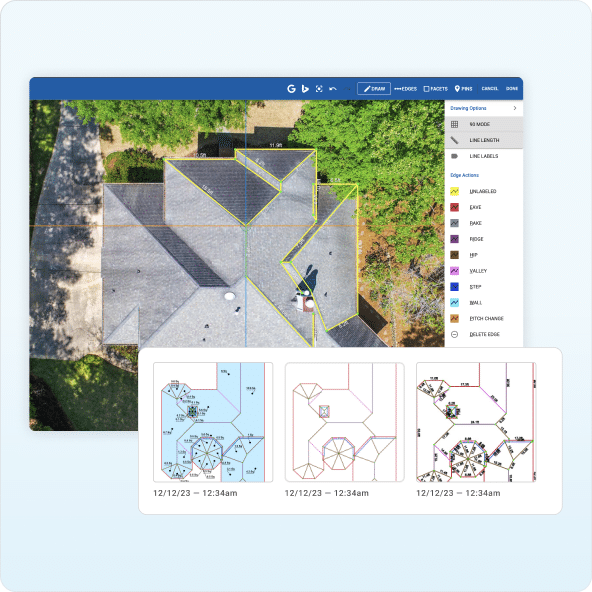
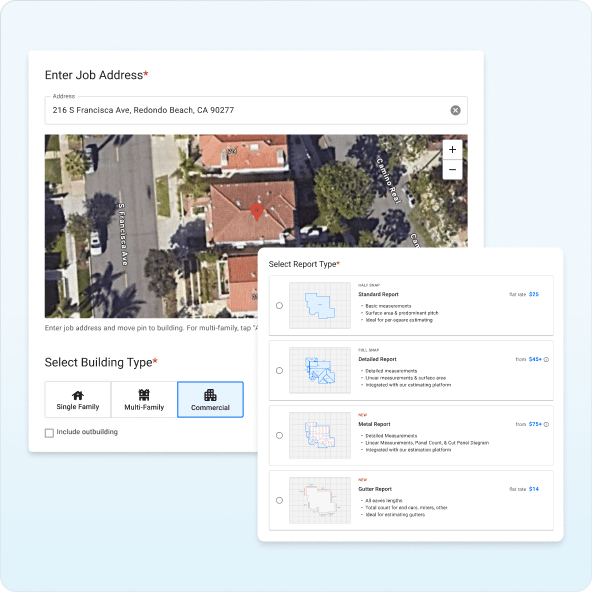
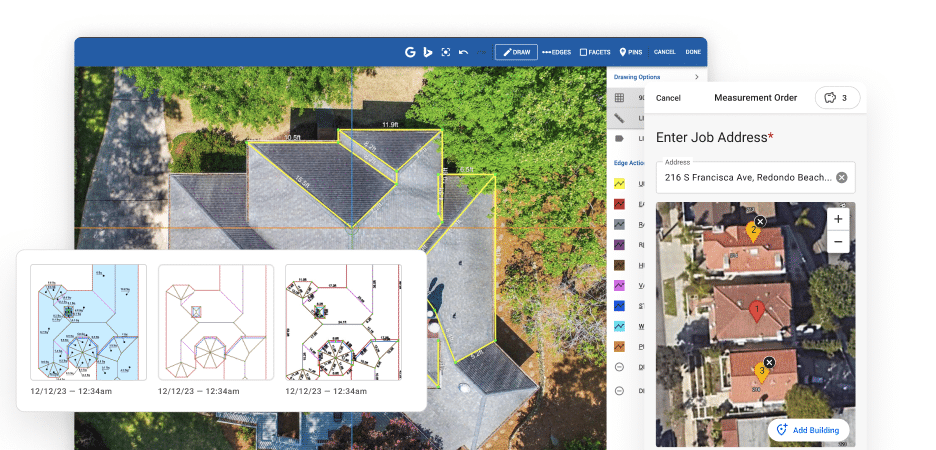
Order a professional report or measure it yourself
DIY only, from satellite, aerial, drone, or blueprint imagery
Ordered Report Option
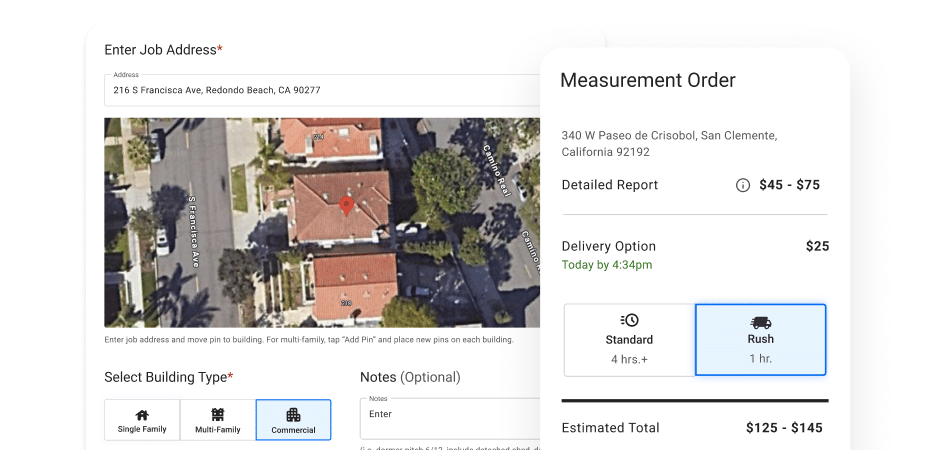
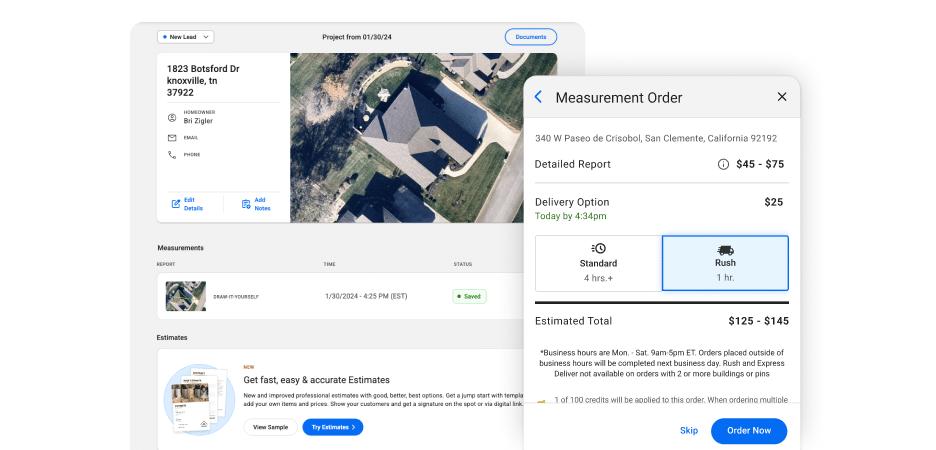
Built in; Pay-As-You-Go from $13/report, 4-hour standard, 30-minute rush
Not built into the core app — available separately via iroofreports.com
Roof Visualizer
Basic: included as part of the proposal, not a primary feature
AI Color Visualizer: best-of-category for in-home presentations
AI Tools
RoofSnap AI is a conversational assistant that builds and revises measurements, estimates, and proposals
AI Color Visualizer applies AI to the homeowner presentation only
Estimating
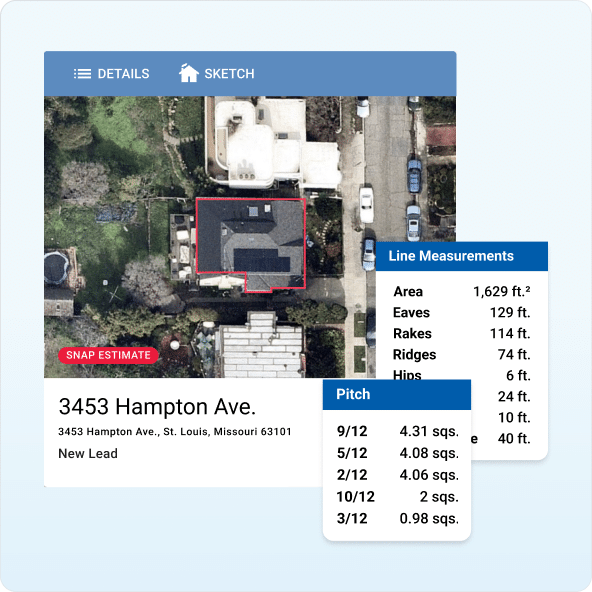
Snap Estimates build a bid directly from any measurement, revisable through RoofSnap AI
Instant estimator built from DIY measurement data and a pricebook
Payments
Native in-app payments at the point of signature
No native payment processing
Homeowner Financing
Acorn Finance offers $0 dealer fees, 30+ lenders, up to $100K
Not offered
Insurance/Restoration
Editable, photo-documented reports built for adjuster review
No Xactimate integration, not designed for restoration work.
Gutter Measurements
Dedicated gutter measurement reports
Not offered
Device/User Access
Per-user subscription, scales with team size
3 devices per account, sign-out required to add a user
Integrations
Supports the broader roofing sales workflow, including material ordering
Limited to file storage (Google Drive, Dropbox, iCloud), no API
Pricing Model
Pay-As-You-Go from $13/report, or subscription from $52–$105/user/month
Flat per-company: $107–$149/month for 3 users
Free Trial
7-day free trial, no credit card required
Not publicly confirmed; contact sales
Best-Fit Team Size
Solo contractors through fleets, PAYG or per-user
1–3 users, flat account rate
Quick answer: RoofSnap is the better choice for contractors who need to get paid, offer financing, or handle insurance work without a second tool. iRoofing is a strong fit for small residential retail teams whose sales process leans on the in-home visual pitch.
Why Choose RoofSnap Over iRoofing?
iRoofing is a capable visualization tool, especially for residential teams that lean on the in-home pitch. But once the homeowner says yes, the workflow matters just as much as the sale.
RoofSnap gives contractors more to work with after the pitch, from collecting a deposit to ordering a report to closing out an insurance claim, all without leaving the app.
Get Paid and Offer Financing in the Same App
Closing the sale and collecting for it aren’t the same thing.
RoofSnap builds payment collection directly into the proposal, so there’s no gap between a signed job and money in your account.
- Collect deposits or full payments in-app at the point of signature
- Send a branded, e-signable contract as part of the same workflow
- Offer homeowner financing through Acorn Finance — $0 dealer fees, 30+ lenders, up to $100k
Order a Report or Measure It Yourself
Some jobs call for a fast DIY measurement. Others need a professionally delivered report.
RoofSnap gives contractors both in the same platform.
- Order a professional report — 4-hour standard turnaround, 30-minute rush
- Or draw it yourself from aerial imagery, photos, or drone footage
- Pay-As-You-Go from $13/report, no subscription required to start
Documentation Built for Insurance and Restoration Work
Retail residential sales aren’t the only jobs on your calendar.
RoofSnap’s reports are built to hold up when an adjuster is reviewing the scope, not just when a homeowner is.
- Editable reports with adjustable facets, pitches, and inspection photos
- Built-in mobile photo capture for on-site documentation
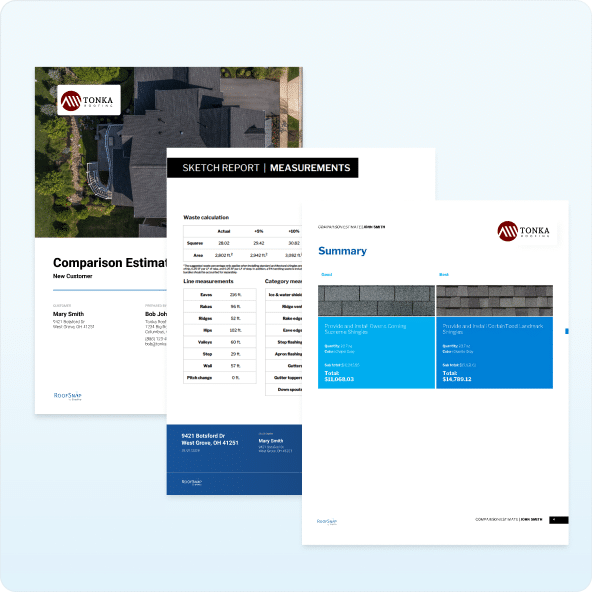
- Branded, professional presentation appropriate for adjuster and homeowner delivery alike
One Platform From First Measurement to Final Payment
Estimating, proposing, contracting, and getting paid are all part of the same job, because RoofSnap treats them that way.
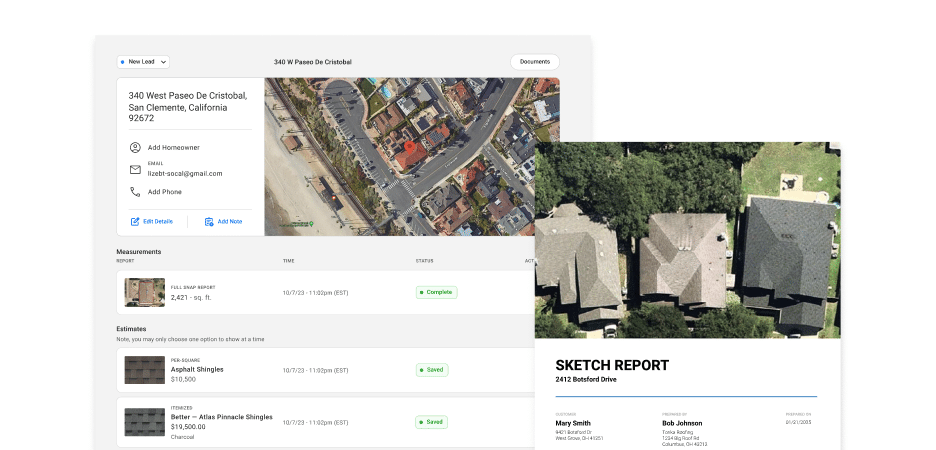
- Snap Estimates build a bid directly from your measurement data
- RoofSnap AI can update that estimate just by telling it what to change: swap materials, add drip edge, no rebuild required
- Branded proposals and e-signable contracts generate from the same job
Built for Small Teams, Ready for Bigger Ones
RoofSnap isn’t just built for larger crews: solo contractors and small teams get the same access.
There’s no device cap, no sign-out friction, and transparent pricing that scales with you instead of against you.
- Pay-As-You-Go from $13/report, ideal for solo operators and small teams
- Per-user pricing scales cleanly from 1 user to a full fleet
- No shared device limit, so every rep gets their own login at any team size
How RoofSnap and iRoofing Compare Across the Roofing Workflow
- Estimating and Proposals
An estimate shouldn’t require starting over in another tool.
- RoofSnap connects measurement, estimate, proposal, contract, and payment in a single workflow — and RoofSnap AI can build or revise the estimate.
- iRoofing builds estimates from DIY measurement data and a pricebook, but the workflow stops at the e-signed proposal.
- Measurement Approach
Both tools start with imagery. What happens next is different.
- RoofSnap lets you order a professional report or measure it yourself in the same platform.
- iRoofing is DIY-only inside the core app; ordered reports require a separate site and an added per-report cost.
- AI Tools
Both platforms use AI for different parts of the job.
- RoofSnap AI is a conversational workflow assistant — build or revise a measurement, estimate, or proposal just by describing the job.
- iRoofing’s AI Color Visualizer applies AI to the homeowner presentation, showing material options on the actual roof — a genuine plus for the in-home pitch.
- Payments
Getting paid shouldn’t require a second app.
- RoofSnap accepts deposits and full payments natively, right from the signed proposal.
- iRoofing has no native payment processing, requiring a separate tool to collect money.
- Homeowner Financing
Not every homeowner pays in full up front.
- RoofSnap offers Acorn Finance directly from the proposal: $0 dealer fees, 30+ lenders, up to $100K.
- iRoofing has no financing integration of any kind.
- Insurance and Restoration Work
Storm and insurance jobs need different documentation than retail sales.
- RoofSnap’s editable, photo-documented reports support adjuster submission and insurance claims.
- iRoofing has no Xactimate integration and isn’t built for restoration work.
- Device and Team Access
Growing teams need room to add reps without friction.
- RoofSnap scales per user, so every rep gets a login with no shared cap.
- iRoofing limits every plan to 3 devices, requiring sign-out to add a new user beyond that.
- Integrations
Connected tools save time across the job.
- RoofSnap supports the broader roofing sales workflow, including material ordering and financing.
- iRoofing’s integrations are limited to file storage — Google Drive, Dropbox, and iCloud — with no API.
The Real Difference Between RoofSnap and iRoofing
RoofSnap wins on workflow completeness. iRoofing wins on the visual pitch.
The contractor who needs to collect payment, offer financing, or take on insurance work alongside a strong retail sale chooses RoofSnap.
Complete Workflow vs. Visual Selling Tool
RoofSnap is built around everything that happens between the pitch and getting paid. iRoofing is built around the pitch itself.
RoofSnap carries the job from measurement through signature, payment, and material ordering. iRoofing hands the job back to you once the proposal is signed.
Both platforms use AI but pointed at different problems: RoofSnap AI helps build and revise the job itself, while iRoofing’s AI is focused on the homeowner presentation.
Built-In Payments vs. Bring-Your-Own Tool
RoofSnap treats getting paid as part of the sale, not a separate step.
RoofSnap collects deposits and full payments natively at signature. iRoofing has no payment processing built in, which means a separate tool and an extra step before the money is actually in your account.
Insurance-Ready Documentation vs. Retail-Only Design
RoofSnap’s reports are built to hold up beyond a homeowner walkthrough.
RoofSnap’s editable, photo-documented reports support adjuster review and insurance claims.
iRoofing has no Xactimate integration and is designed specifically for retail residential sales, not restoration work.
Per-User Scalability vs. Device-Capped Pricing
RoofSnap is built for teams that grow. iRoofing is built for teams that stay small.
RoofSnap’s per-user pricing scales cleanly from a solo operator to a full fleet, with no shared device limit.
iRoofing’s flat rate covers 3 devices per account, making it cost-effective for a small team, but a real constraint the moment you add a fourth rep.
Start Measuring, Estimating, and Getting Paid with RoofSnap.
The right roofing software isn’t the one with the best sales pitch. It’s the one that gets the job measured, sold, and paid for without switching tools in between.
RoofSnap connects measurement, estimating, contracts, payments, and financing in one platform, whether you’re a solo contractor or running multiple crews.
Start your free trial today and see why—no credit card required.
RoofSnap vs. iRoofing: Frequently Asked Questions
RoofSnap and iRoofing are both mobile-first roofing tools, and they overlap on DIY measurement and proposal generation.
iRoofing’s AI Color Visualizer is a strong tool for showing homeowners material options on their actual roof during an in-home pitch.
RoofSnap is built around what happens next: ordering a report or measuring it yourself, collecting payment, offering financing, and handling insurance documentation — all in the same app.
Not to the same degree. iRoofing’s AI Color Visualizer is a genuinely strong tool for the in-home pitch.
RoofSnap’s visualization is more basic, but the platform makes up for it with a complete workflow after the pitch: payments, financing, ordered reports, and insurance documentation.
Both are designed to be accessible. iRoofing’s DIY measurement and visualization tools are intuitive for a new user.
RoofSnap’s focused workflow — measure, estimate, propose, get paid — means less to learn, and 40% of surveyed RoofSnap customers cite ease of use as the top reason they chose the platform.
Yes, but for different parts of the job.
RoofSnap AI is a conversational assistant built into the platform. Describe the job and it can create the measurement, build the estimate, revise materials, or prepare a proposal.
iRoofing’s AI powers its Color Visualizer, applying AI to show homeowners material options on their actual roof during the in-home pitch.
One builds the job, the other sells it.
RoofSnap is the stronger fit for estimates that need to move all the way to payment: build the estimate, send the proposal, collect the deposit, and offer financing without switching tools.
iRoofing’s estimator is a solid part of its visual sales process, but the workflow ends at the signed proposal.
RoofSnap supports the broader roofing sales workflow, including material ordering and homeowner financing through Acorn Finance.
iRoofing’s integrations are limited to file-storage tools like Google Drive, Dropbox, and iCloud, with no API for connecting to other software.
Both work well for small teams, just differently.
iRoofing’s flat rate for 3 users is a solid, cost-effective option if your sales process leans on the visual pitch.
RoofSnap’s Pay-As-You-Go option starts at $13 per report with no subscription required, making it just as workable for a solo contractor, with the option to add payments, financing, and insurance support as the business grows.
RoofSnap is the better fit here. Its editable, photo-documented reports support the detailed scope documentation insurance claims require.
iRoofing has no Xactimate integration and is built specifically for retail residential sales, not restoration work.
It depends on team size.
iRoofing’s flat per-company rate covers 3 devices at every tier: $149/month month-to-month, $124/month on a 12-month plan ($1,488 billed annually), or $107/month on a 24-month commitment ($2,568 billed every two years). That can be the cheaper option for a solo contractor or small team.
RoofSnap’s per-user pricing runs $105/month monthly, or $52–$78/user/month annually depending on team size. It scales more practically for growing teams and includes native payments and financing that iRoofing doesn’t offer at any price.
iRoofing’s pricing page doesn’t list rates directly, so expect to book a demo to get a quote. RoofSnap’s full pricing is published at roofsnap.com/pricing.
On RoofSnap, ordered reports are built into the core platform, priced Pay-As-You-Go from $13/report, no separate site or subscription required.
On iRoofing, ordered reports aren’t part of the core app. They’re available through a separate site, iroofreports.com, at roughly $10 for a perimeter report and $24 for a full residential report, with a discount for subscribers.
Choose RoofSnap if you need to collect payments or offer financing at signature, want ordered reports available alongside DIY measurement, do any insurance or restoration work, or want a team of any size to scale without a device cap.
Choose iRoofing if your sales process centers on an in-home visual pitch, your team is 1–3 users, and you want unlimited DIY measurements at a flat monthly rate.