Let’s say you get a call from a homeowner on Monday morning. They’re looking for a quote for a new roof.
You use Hover, which means you need photos of their house before you can price up the job. Of course, this takes time and resources. Either you need a team member on-site or you need to help the homeowner scan it themselves.
When Hover works, it’s great. There’s no doubt that Hover’s 3D models are impressive. But that photo step can add hours, or even days, before you’re able to send through an accurate quote.
Meanwhile, a roofer quoting from their office gets there first.
If you’re looking for a Hover alternative for roofing contractors, this guide is for you.
Why Consider a Hover Alternative?
You might consider a Hover alternative to speed up the quoting process. You might also want to save a bit of cash and increase your margins.
Before we get knee-deep in the drawbacks, here’s what Hover gets right:
- It measures more than the roof. A Hover 3D model includes the siding, gutters, and windows too, which is so handy for exterior remodeling jobs.
- It helps homeowners picture the result. Paid plans add design tools that use real products and brands.
- Homeowners can take the photos. You can send the homeowner a link and ask them to snap the photos in the Hover app.
- Reviewers like it. Capterra users give Hover 4.8 out of 5 stars, based on 60 reviews.
There are cons too. If the homeowner isn’t tech-savvy or just doesn’t get around to taking the photos, you have to head out to the jobsite.
The price can be a negative too. Here’s a breakdown of Hover’s plans:
- Starter: The first three projects are free. Then, a roof-only scan costs $29 to $69, and a whole-exterior scan costs $59 to $139, depending on the home’s complexity.
- Pro: For $999 a year, you get $20 off each project.
- Business: For $2,999 a year, you pay one flat rate per scan type.
Even with a membership, the fees add up. That’s a strategic reason contractors start comparing Hover pricing alternatives.
How We Compared These Tools
When comparing the tools below, we asked:
- How does it measure? Satellite or aerial imagery, homeowner photos, or DIY tracing.
- Do you have to visit the property? Tools that measure from your desk scored higher.
- What can you do after measuring? Some tools give you a report and stop there. Others let you send the estimate, get a signature, and take a deposit.
- How do you pay for it? Per scan, per report, a monthly or yearly plan, or a free tier.
- Can it help you sell visually? We gave credit for 3D renderings and roof color previews.
- Does it work in the field? We checked for iPhone and Android apps.
Best Hover Alternatives in 2026
Let’s take a look at the advantages and drawbacks of each alternative, plus their pricing.
1. RoofSnap
Best for quoting from your desk and getting the contract signed fast
If the whole process of collection or taking photos for Hover is a major pain point, why not try a tool that skips it altogether?
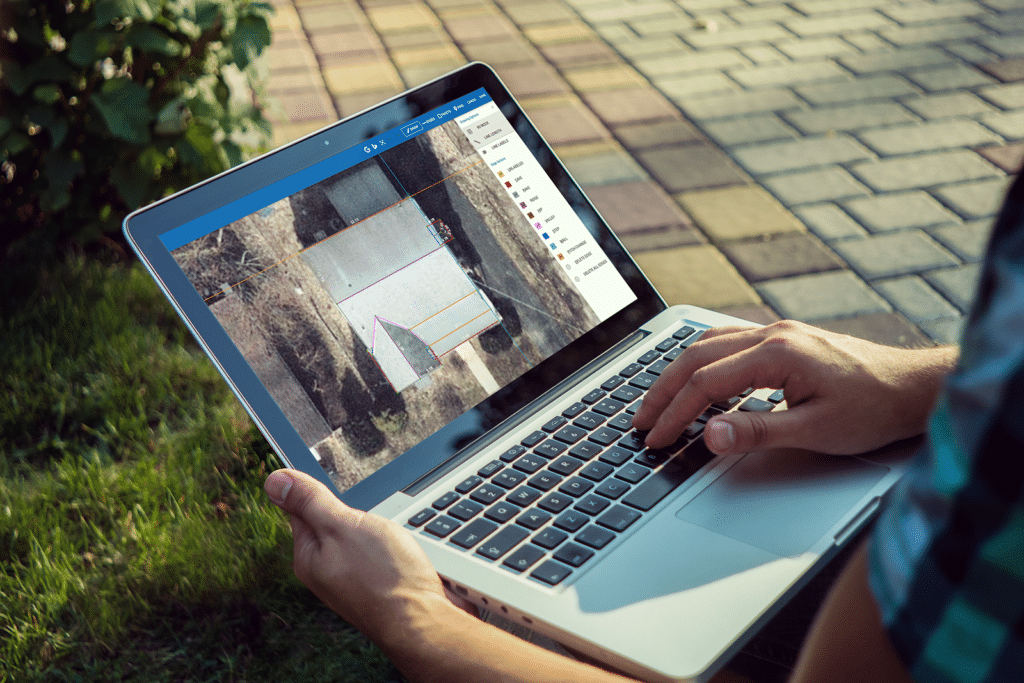
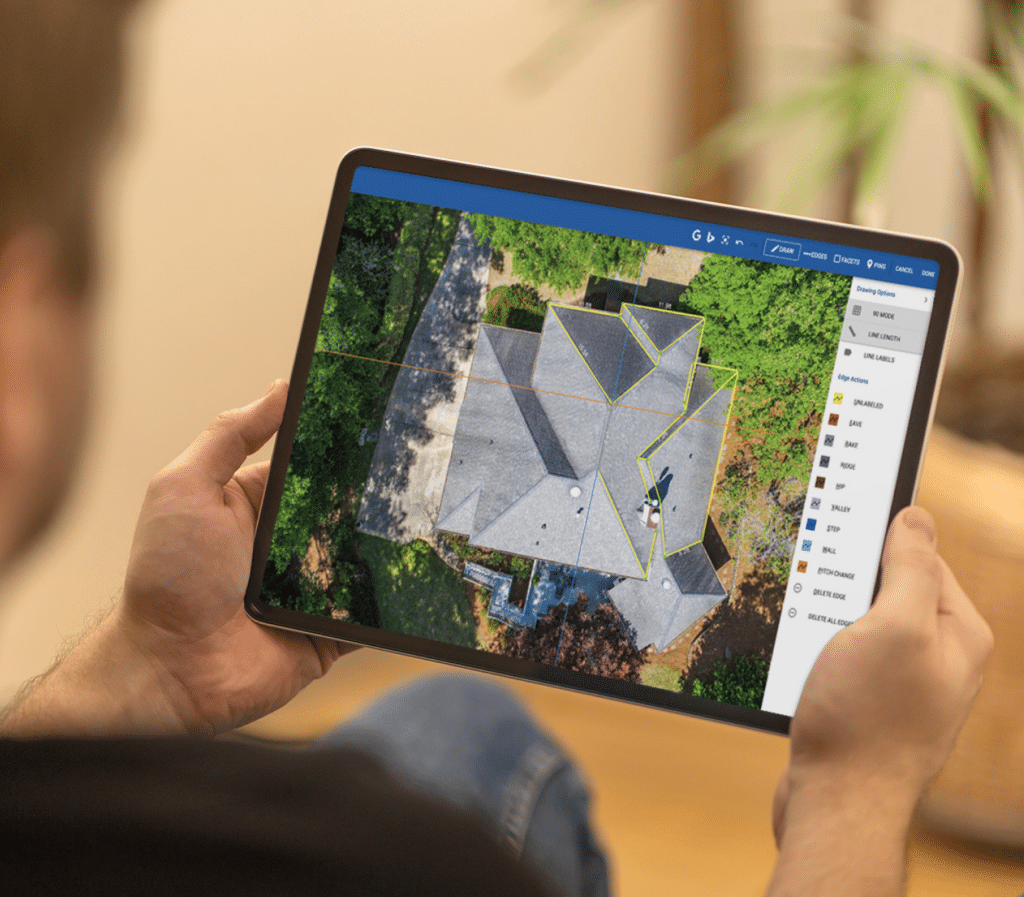
With RoofSnap, you order a roof report or sketch the roof on satellite imagery. From there, you can generate a quote, all in the same app, all from your desk.
It’s one of the best roofing estimating software options for smaller teams and solo roofers.
Pros
- Quick turnaround: Ordered roof reports come back in about 4 hours, and a rush order can be ready in roughly 30 minutes.
- Your materials, your prices: Subscribers set up their own product list and pricing, so you can quote any shingle brand you sell.
- Getting paid: Homeowners can pay a deposit or the balance with more than 40 payment options. Plus, you can provide homeowner financing.
- Capterra rating: 4.7 out of 5, from 11 reviewers.
Cons
- You won’t get a 3D house model. If we compare Hover vs. RoofSnap, Hover definitely wins when it comes to visuals. Still, RoofSnap edges out ahead if you prefer the convenience of a multipurpose solution.
- It isn’t a complete CRM. Bigger sales teams might want a separate tool for managing leads and projects.
Pricing
Here are the prices from RoofSnap’s pricing page:
- Half Snap report: $13 per order on pay-as-you-go or $10 with a subscription
- Detailed roof report: $35 to $55 per order or $11 to $37 with a subscription, depending on roof size
- Gutter measurements: $15 per order or $11 with a subscription
- Subscription: From $105 per user per month or from $52 per user per month on an annual plan for teams of 10 or more
2. EagleView
Best for insurance claims and remote whole-exterior measurements
EagleView started selling aerial roof reports back in 2008. It can also measure walls, windows, and doors from aerial images.
Pros
- Exterior reports from the office: Walls reports start at $40. A combined roof, walls, windows, and doors report starts at $91.
- Insurance files: EagleView One comes with ESX files you can open in Xactimate, plus attic calculations.
- Capterra rating: 4.3 out of 5, from 44 reviews.
Cons
- Bigger roofs are more expensive. Contractors report paying $35 to $87 for a Premium Report on medium and large homes.
- Value is a common sore point, with a value-for-money score of 3.7 out of 5 on Capterra.
If EagleView appeals but the price doesn’t, our roundup of EagleView alternatives compares six other options.
Pricing
Starting prices for EagleView’s residential reports are as follows:
- Bid Perfect: $18
- Premium Roof Report: $24.25
- Walls: $40
- Walls, windows, and doors: $67.50
- Roof, walls, windows, and doors: $91
3. Roofr
Best for roofers who want satellite reports and proposals, with a free plan to start
Where Hover asks for photos, Roofr uses satellite imagery, plus a sales toolkit for proposals, invoices, material orders, and customer records.
Pros
- A no-cost way in: Roofr’s Starter plan has no monthly fee. You pay per report and can test the proposal features.
- No per-seat charges: Every team member can use Roofr at no extra charge.
- Capterra rating: 4.6 out of 5, with 101 reviews.
Cons
- There’s no App Store or Google Play Store download. Instead, Roofr works through your phone’s browser.
- Roofr reports cover roofs only. If you quote siding or windows as well, you’ll need a second tool.
Pricing
Roofr’s plans break down like this:
- Starter: Free monthly, with reports at $19 each and delivery within a day
- Essentials: $249 monthly ($209 if you pay yearly), with reports at $13 each and delivery within 2 hours
RELATED ARTICLE — Top 8 Roofr Alternatives for Roofing Contractors
4. GAF QuickMeasure
Best for GAF-certified roofers who want quick, low-cost aerial reports
GAF QuickMeasure is a report service from shingle maker GAF.
Pros
- A built-in visual: Reports include interactive 3D renderings, which allow homeowners to see for themselves how their new roof will look. This is a great selling tool for design-conscious clients.
- No certification needed: Any contractor can order a report.
Cons
- It’s purely a measuring service. You’ll need another solution for quotes, contracts, and payments.
- The bill of materials is made for GAF products only, which is less useful if you install other brands.
Pricing
- Master Elite contractors: $18 for a single-family home, $54 for a multifamily property
- Everyone else: $20 for a single-family home, $60 for a multifamily property
5. iRoofing
Best for selling roof colors face-to-face, with unlimited DIY measuring
Of all the apps like Hover on this list, iRoofing comes closest to Hover’s visual selling.
You measure the roof yourself from satellite, aerial, drone, or blueprint images, then wow the homeowner with your sales tools.
Pros
- Roof color previews: The AI roof color visualizer places new roof colors on a photo of the homeowner’s own house.
- One flat price: You can generate as many measurements and proposals as needed. Plus, the plans come with three separate users and $75 of HD imagery credit each month.
- Capterra rating: 4.5 out of 5, based on 23 reviews.
Cons
- Measuring takes up your own time.
- You have to pay for the subscription month in and month out, regardless of how busy you are.
Pricing
According to iRoofing’s pricing page:
- Month to month: $149
- 12-month plan: $124 a month
- 24-month plan: $107 a month
RELATED ARTICLE — Best iRoofing Alternatives in 2026
6. Pitch Gauge
Best for small crews that want a low-cost phone app
Hover and Pitch Gauge both run on your phone, but they measure in different ways.
With Pitch Gauge, you pull up the house on a map and trace each roof plane with your finger. There’s no photos or site visit required.
Pros
- Cheap to start: Downloading the app costs nothing, and you can buy projects one at a time.
- Extra field tools: It comes with a pitch finder and a place to track leads.
Cons
- The Android version was updated in October 2026, but the latest iOS version on the App Store is from January 2021. If you’re an Apple user, proceed with caution.
- Reviews are pretty mixed. Google Play users give it 3.1 out of 5 from roughly 1,680 reviews.
- The free version includes ads.
Pricing
- One project: $0.99
- 10 projects: $9.99
- Unlimited projects for one user: $19.99 a month or $199.99 a year
7. Nearmap
Best for large teams that need fresh aerial imagery on a regular schedule
Nearmap is a roof measurement software company that captures its own images. You can then access and use those images with a subscription.
Pros
- Exterior data from above: In the US, you can request roof and exterior measurements covering walls, windows, and doors, along with pitch, ridges, and valleys. It’s another way to get Hover-style exterior measurements without visiting the site.
- Xactimate-ready: The measurement data flows into Xactimate for claims work.
Cons
- It’s made for big organizations. A two-person roofing crew may never use most of what it offers.
- The Capterra rating is low at 3.1 out of 5, based on 7 reviews.
- Plus, its value-for-money score on Capterra is just 2.2 out of 5.
Pricing
Nearmap keeps its pricing private. You’ll have to request a quote from the sales team.
Hover Alternatives Comparison Table
Let’s compare seven Hover competitors.
| Tool | Best for | Measurements | Drawbacks |
| RoofSnap | Pricing roofs from your desk | Satellite reports or DIY sketches | No 3D house model or complete CRM |
| EagleView | Insurance claims and remote exterior data | Aerial roof, wall, window, and door reports | Large roofs get pricey |
| Roofr | Satellite reports with proposals | Satellite reports and DIY | Browser only; roofs only |
| GAF QuickMeasure | GAF-certified roofers | Aerial reports with a 3D shingle preview | Report only; GAF-focused materials list |
| iRoofing | Face-to-face color selling | Unlimited DIY tracing | Same fee in slow months |
| Pitch Gauge | Low-cost phone measuring | Tracing on a map | Old iOS version; mixed reviews |
| Nearmap | Large teams | Aerial imagery and exterior data | Pricing by quote |
Satellite vs. Photo-Based Measurement: Which Is Right for You?
Hover uses photos that are taken at the house to give you measurements. In contrast, every alternative on this list measures from satellite or aerial images instead.
You might prefer Hover if siding, gutter, windows, and other features not very visible from the sky make up a good bulk of your work.
Satellite-based measurement could be a better alternative if:
- You’d rather price the roof before you drive out to the site.
- Most of your work is roofing.
- You don’t want to ask homeowners to send photos of their house to you.
Satellite images aren’t perfect, though. Trees can hide parts of a roof, and very new homes could be missing from the imagery.
Want to dig into the accuracy of different measurement types? Check out our guide to roof measuring tools vs. aerial measurements.
Why Contractors Choose RoofSnap
Need a Hover roofing alternative that lets you price a roof the same day you get the inquiry? RoofSnap could be the best fit.
Here’s how it works:
- A homeowner calls for a quote.
- You order a roof report or sketch the roof yourself from satellite imagery.
- You add your own products and prices and send an estimate with a few price options.
- The homeowner signs the contract and pays a deposit online, all in the same app.
Try it for yourself with RoofSnap’s free 7-day trial.
Hover Alternatives FAQs
Still have questions about Hover alternatives? Let’s answer them.
How much does Hover cost?
Hover’s Starter plan charges per project after three free ones, with roof-only scans from $29. The Pro plan is $999 a year and gives you a $20 discount on each project.
Can I measure a roof using my computer?
Yes, you absolutely can. You just need a satellite-based tool like RoofSnap or EagleView.
What are the best alternatives to Hover app for roofers?
That depends on how you do business. For quoting from the office and collecting payment, try RoofSnap. For insurance work, EagleView is a good choice.
Does Hover work for insurance claims?
Yes. Hover can send measurement data to Verisk and Cotality, which insurance adjusters use for estimates. Adjusters can also ask the homeowner to scan the property.
Find the Right Hover Alternative for Your Business
Ready to pick a tool?
- Decide which measurement method is right for your business.
- Shortlist your favorite tools. Pick two or three from this list.
- Consider your budget. Work out how many roofs you measure in a typical month. Pay-per-report pricing is best for lower volumes. A flat monthly plan can be cheaper if you’re really busy all year round.
- Take advantage of free trials. Most of these tools let you test them for free, so give them a go!